
Making an Offer or Letter of Intent

This page explains how buyers submit offers through the FE International M&A tool and how those offers move the conversation forward with a founder.
When to Make an Offer
Once you have been granted access to a business listing and reviewed the available information, you can decide whether to proceed with an offer.
Submitting an offer signals formal interest and moves the conversation from exploration to negotiation.
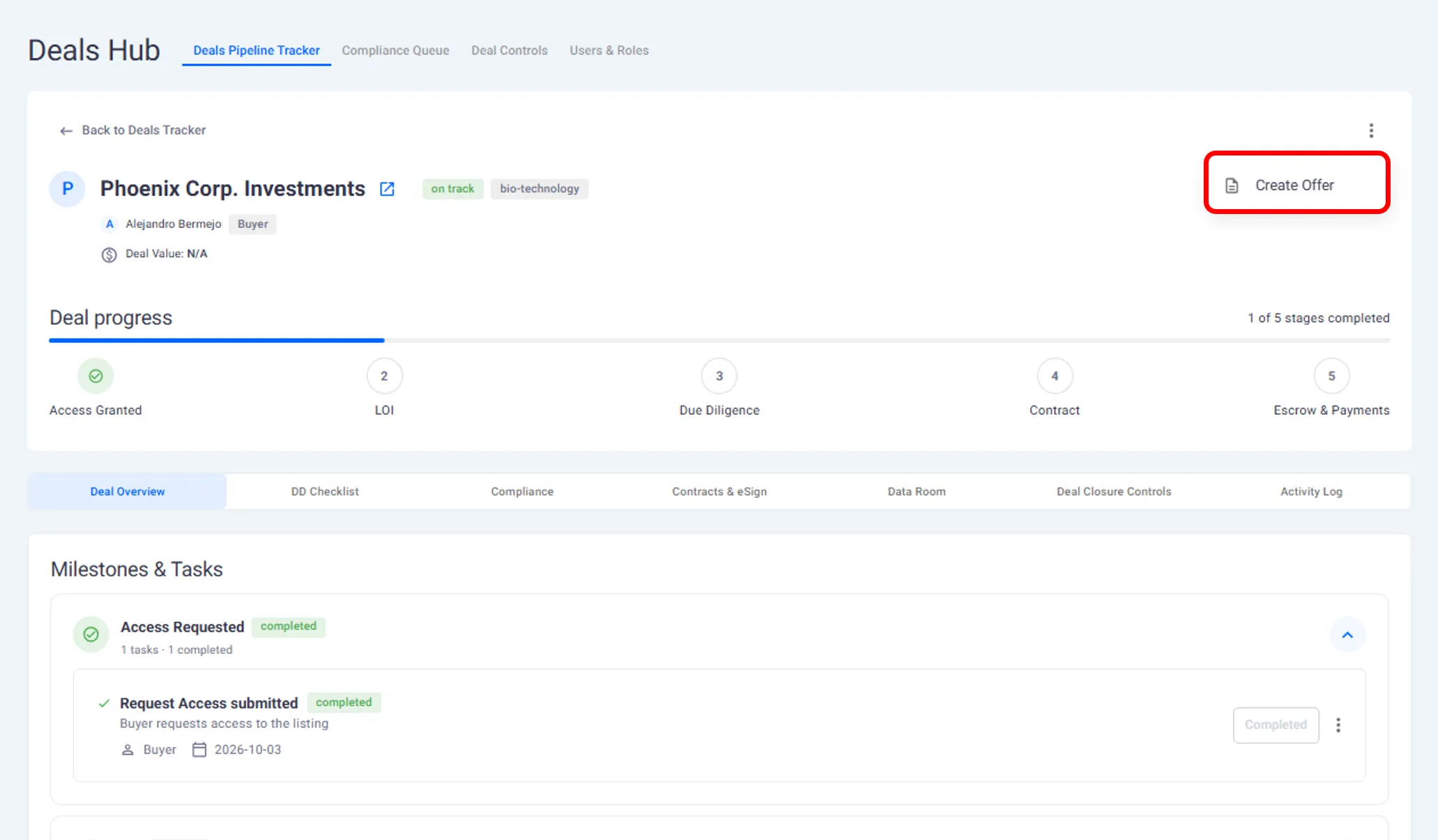
Creating an Offer
Offers are created directly inside the platform.
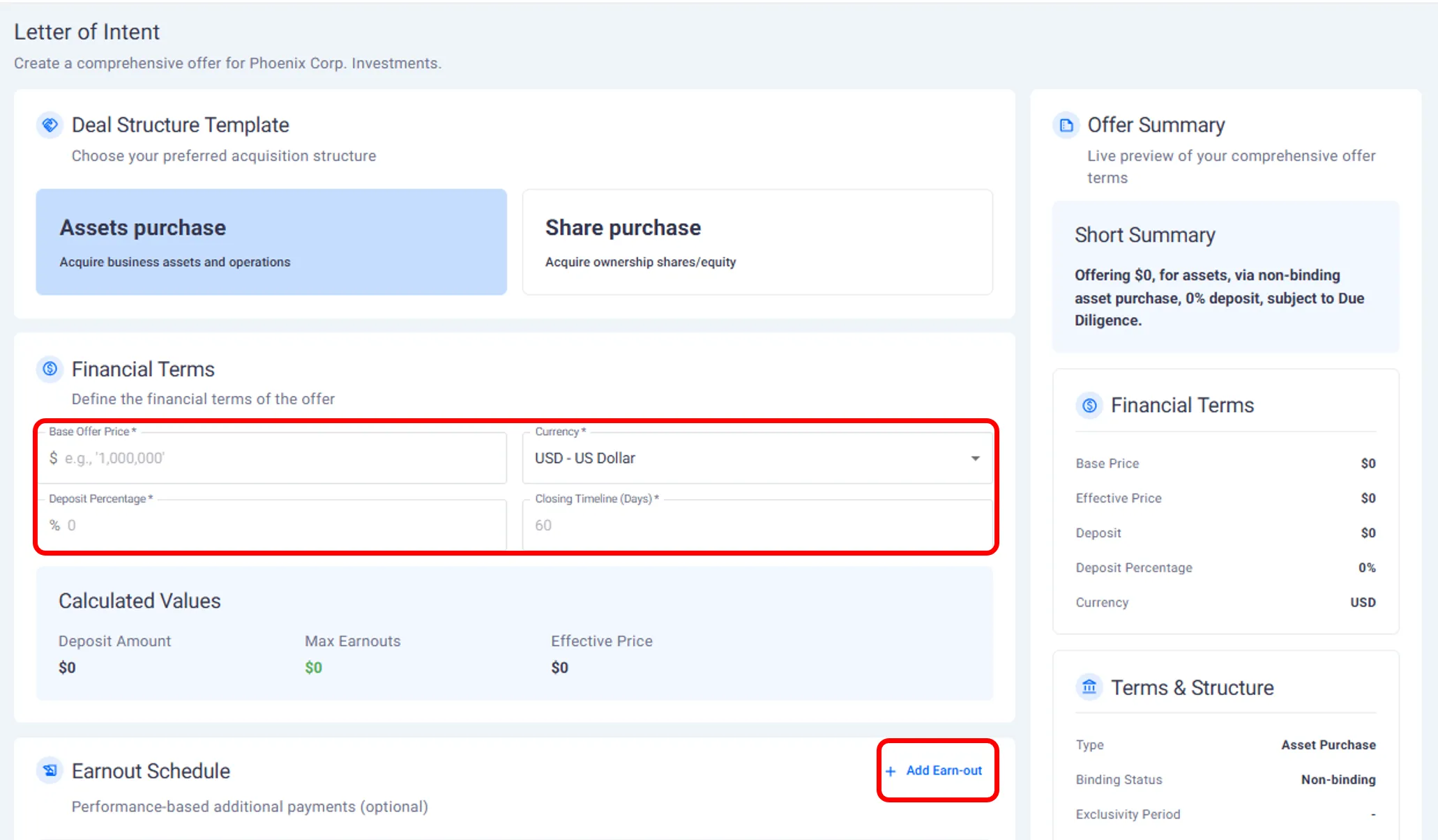
When creating an offer, you can enter:
The proposed purchase price.
Deposit terms.
Expected timeline to close.
Any exclusivity period.
Additional terms or notes related to the offer.
These details form the basis of a letter of intent shared with the founder.
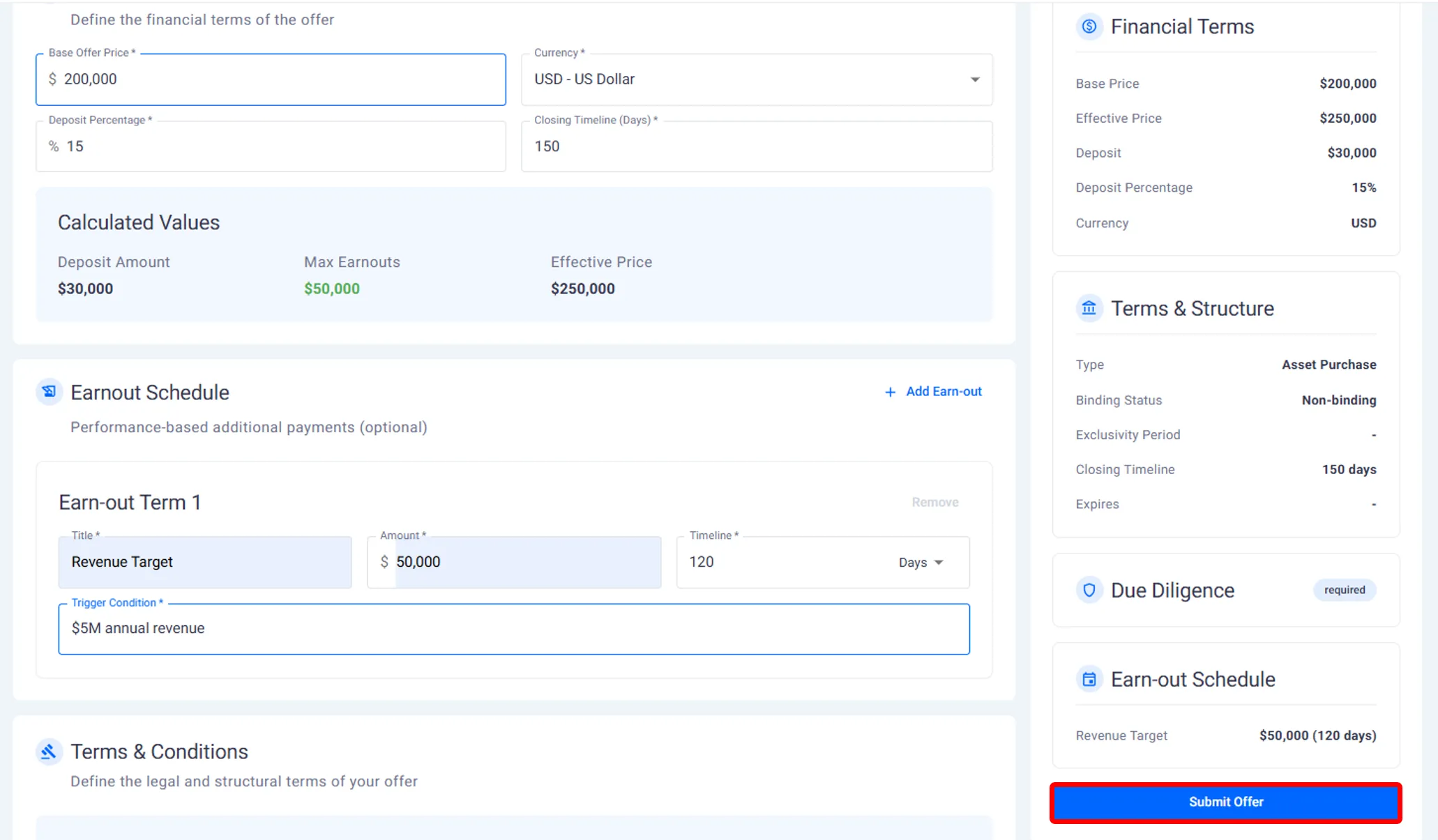
Submitting the Offer
After completing the offer details, you submit the offer through the platform.
Once submitted:
The founder is notified.
The offer is logged and tracked.
The offer status is visible to both parties.
All offers remain associated with the specific listing and buyer account.
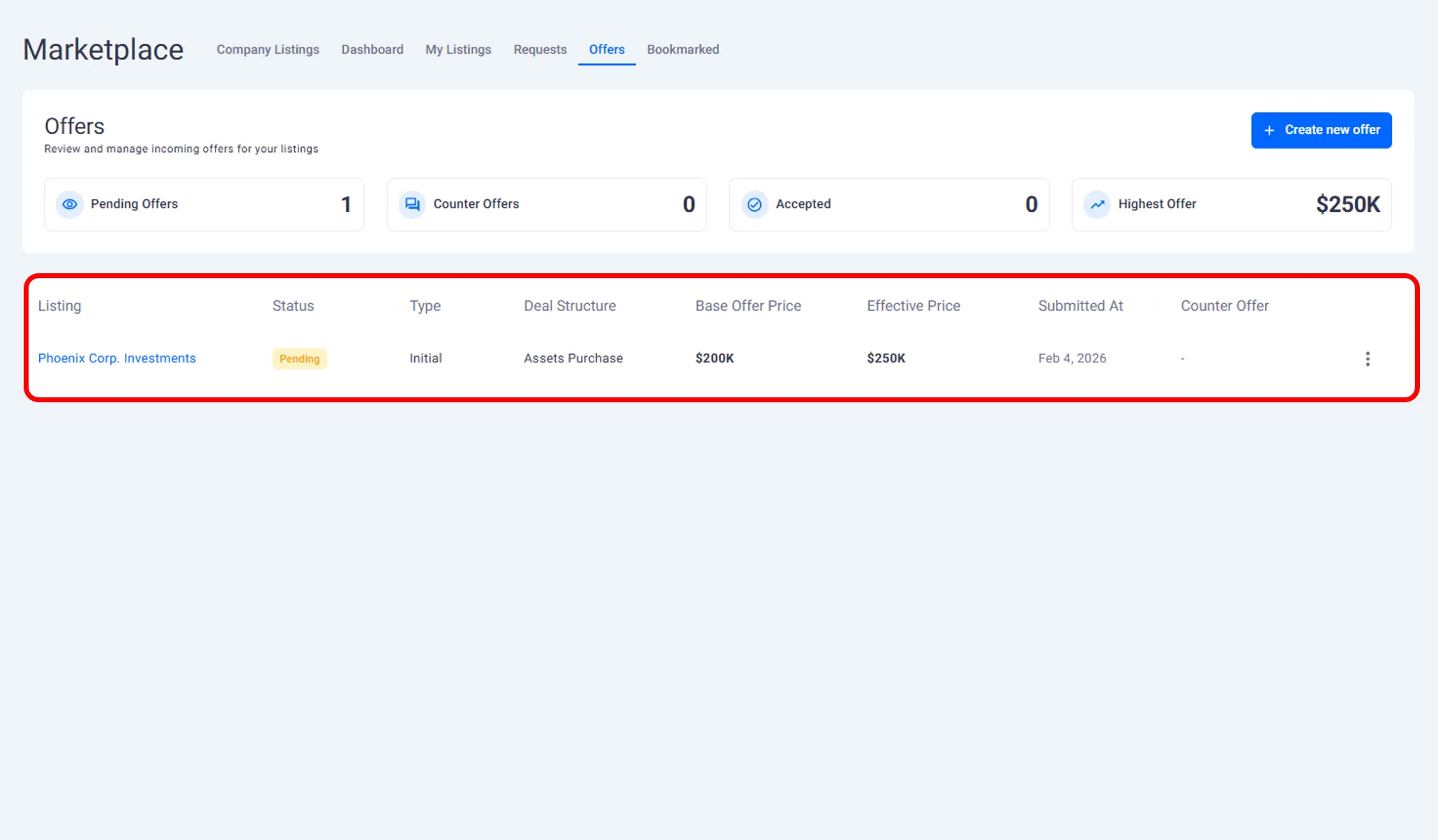
Viewing Offer Status
As a buyer, you can track the status of each offer you submit.
You can see:
Whether the offer is pending.
Whether it has been accepted.
Whether it has been rejected.
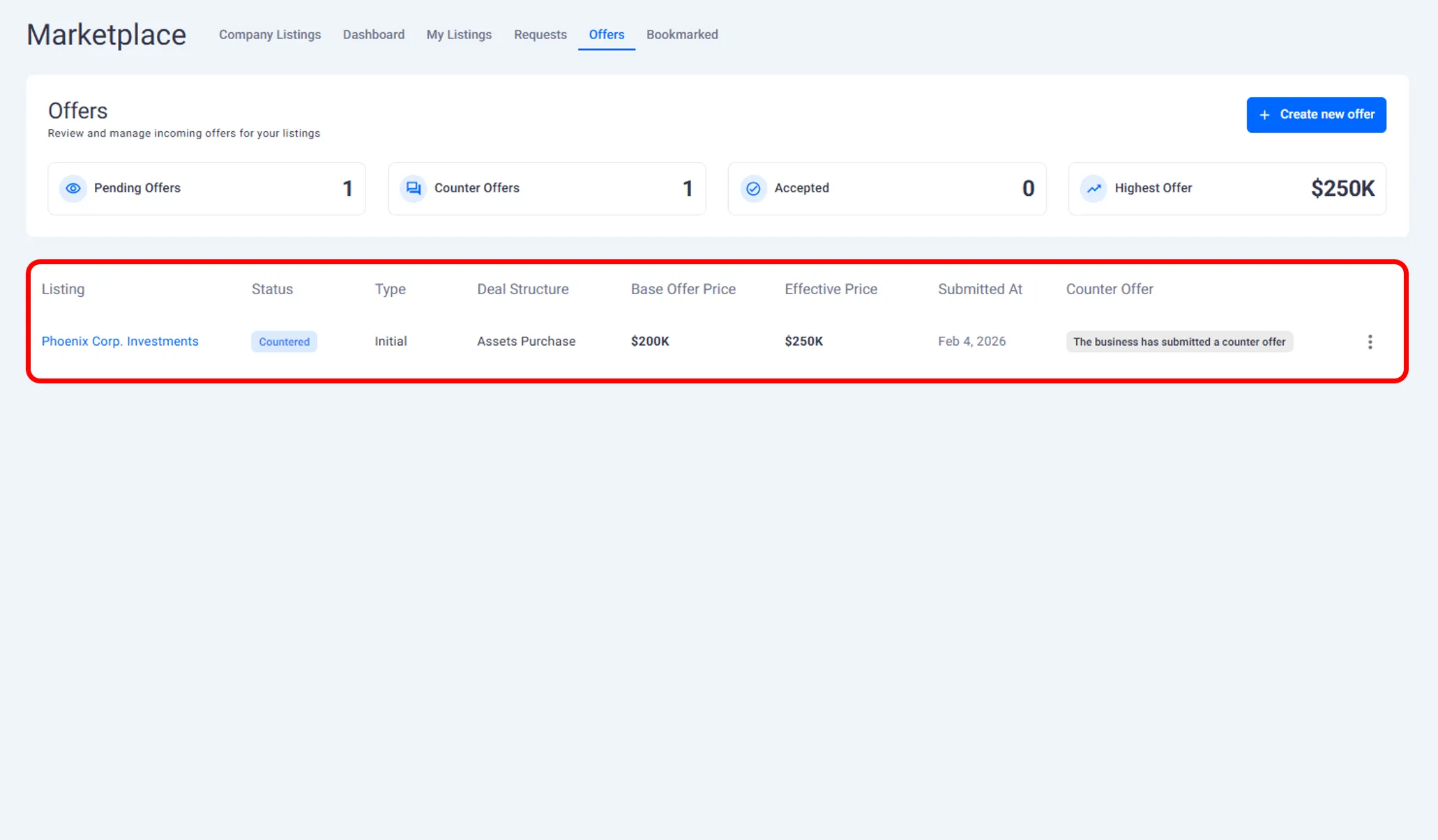
Whether a counter offer has been made.
This allows you to manage multiple negotiations at the same time.
Responding to Counter Offers
If a founder submits a counter offer:
You can review the updated terms.
Decide whether to accept.
Submit another counter offer if needed.
All negotiation activity stays within the platform and is recorded as part of the deal history.
What Happens When an Offer Is Accepted
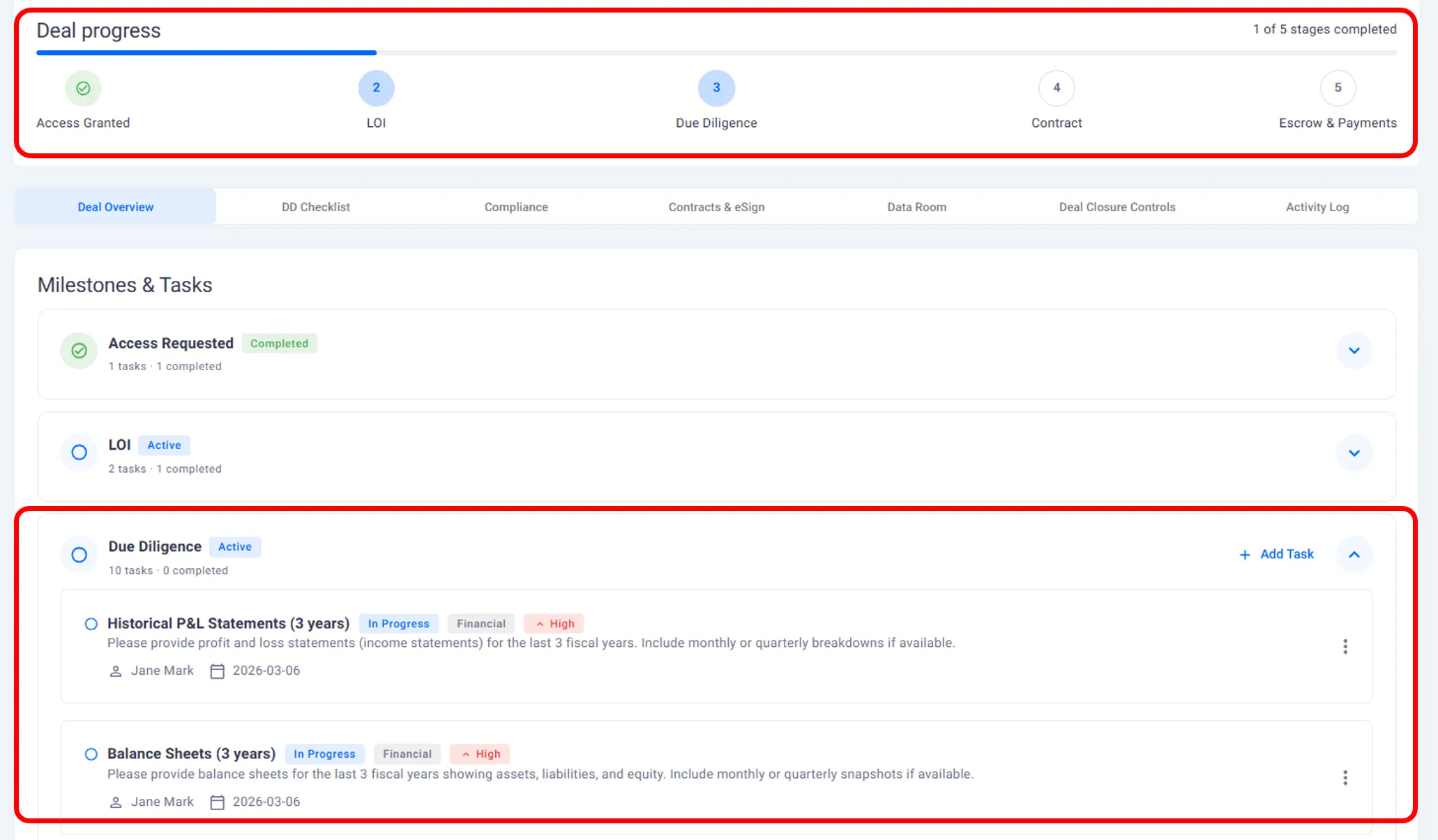
When a founder accepts your offer:
A deal is created automatically.
The deal moves into the next stage.
Due diligence tasks become available.
From this point onward, the interaction is managed as an active deal rather than a listing discussion.
What This Page Covers and What Comes Next
This page explains:
How to create and submit an offer.
How offer status and negotiation work.
What happens after an offer is accepted.
The next page explains how buyers manage deals and track progress using the Deal Hub.
Need help?
Contact our support team and get the help you need.

.webp)