
Browsing, Filtering, and Shortlisting Businesses

This page explains how buyers discover relevant businesses in the FE International M&A marketplace and narrow down opportunities based on their investment criteria.
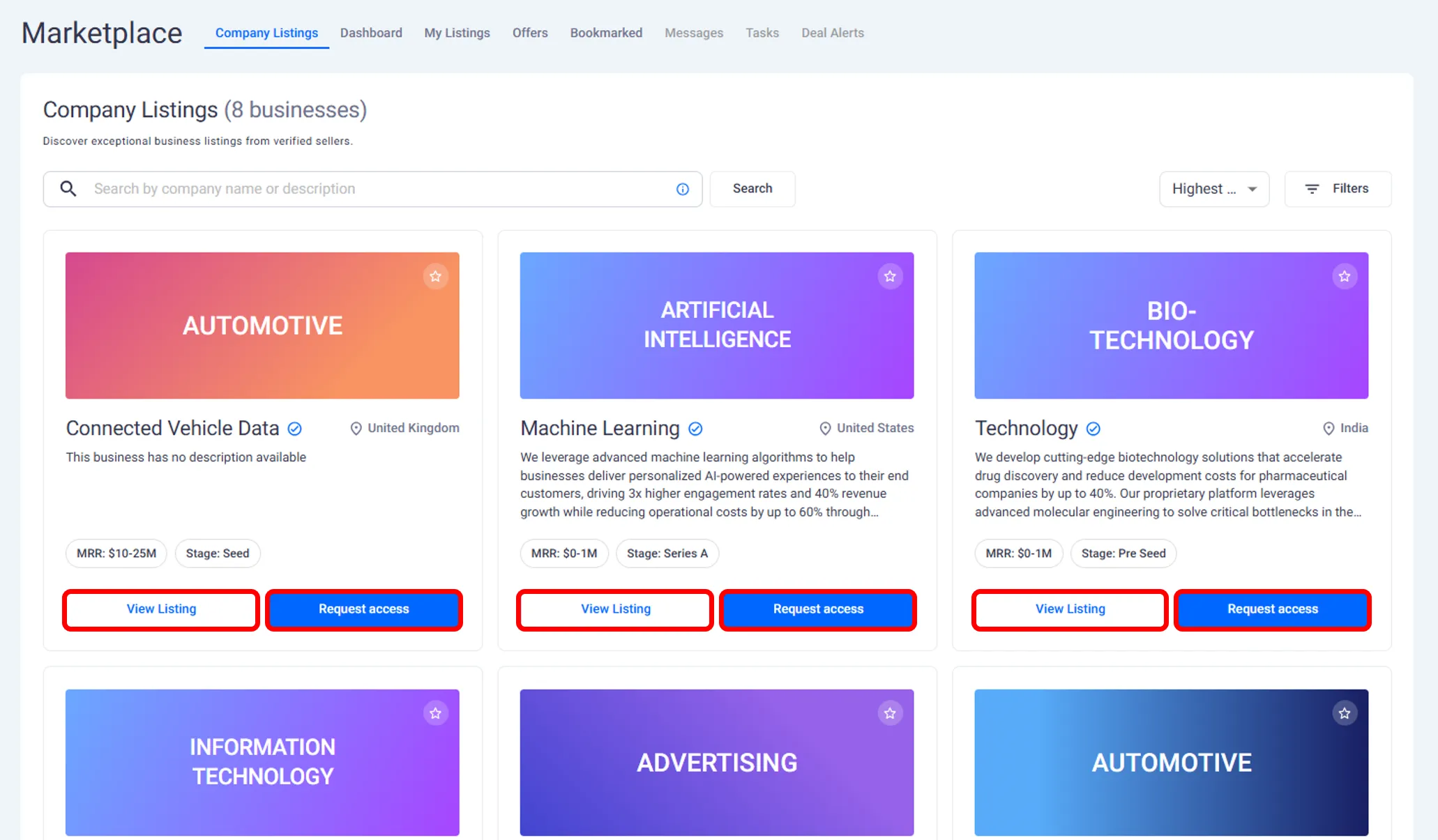
Browsing the Marketplace
The marketplace is where buyers explore available acquisition opportunities.
As you browse, you can:
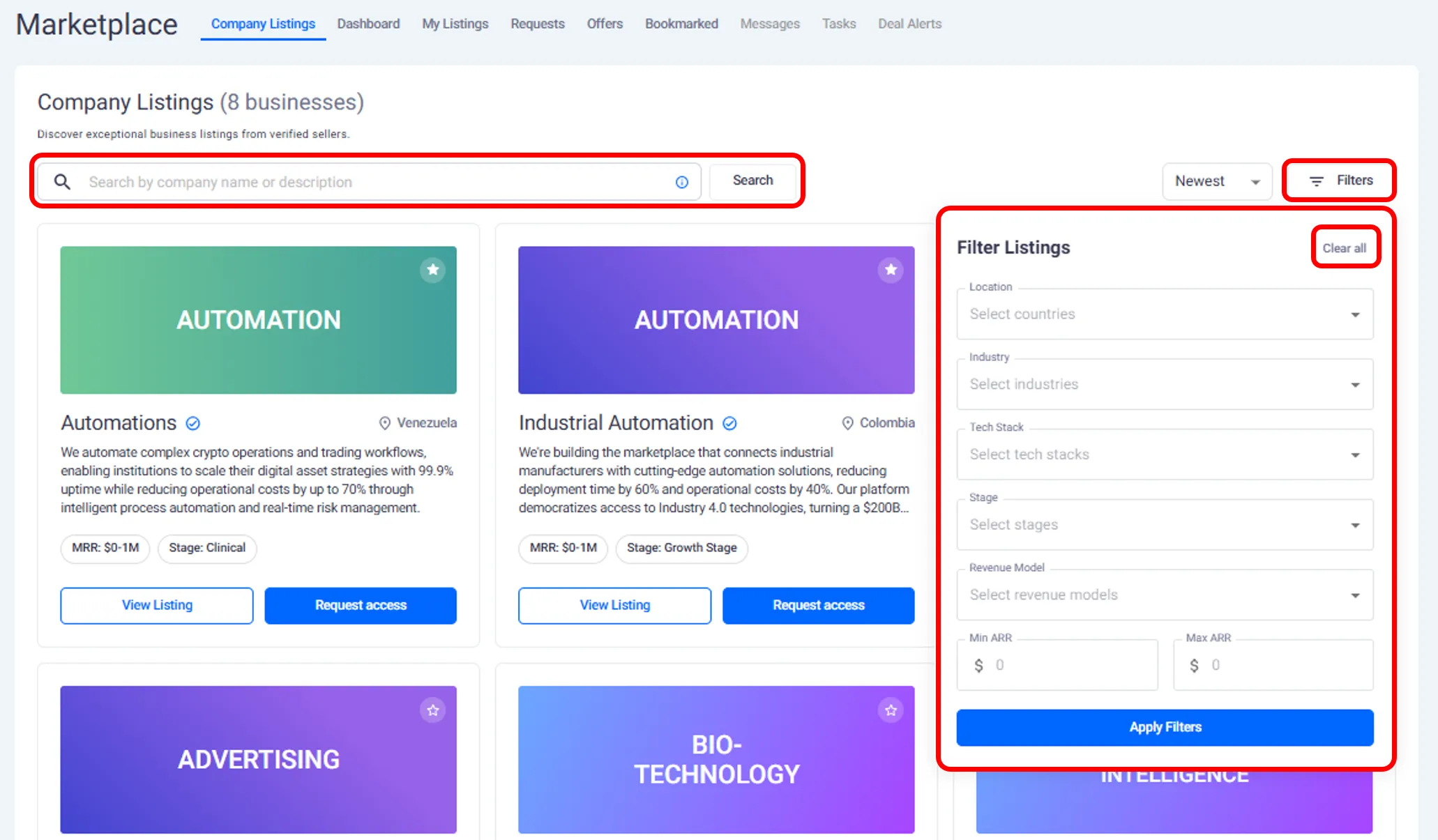
View anonymized business listings.
Open listings to review high level details.
Move between opportunities without requesting access.
This allows you to scan the market before engaging with any specific business.
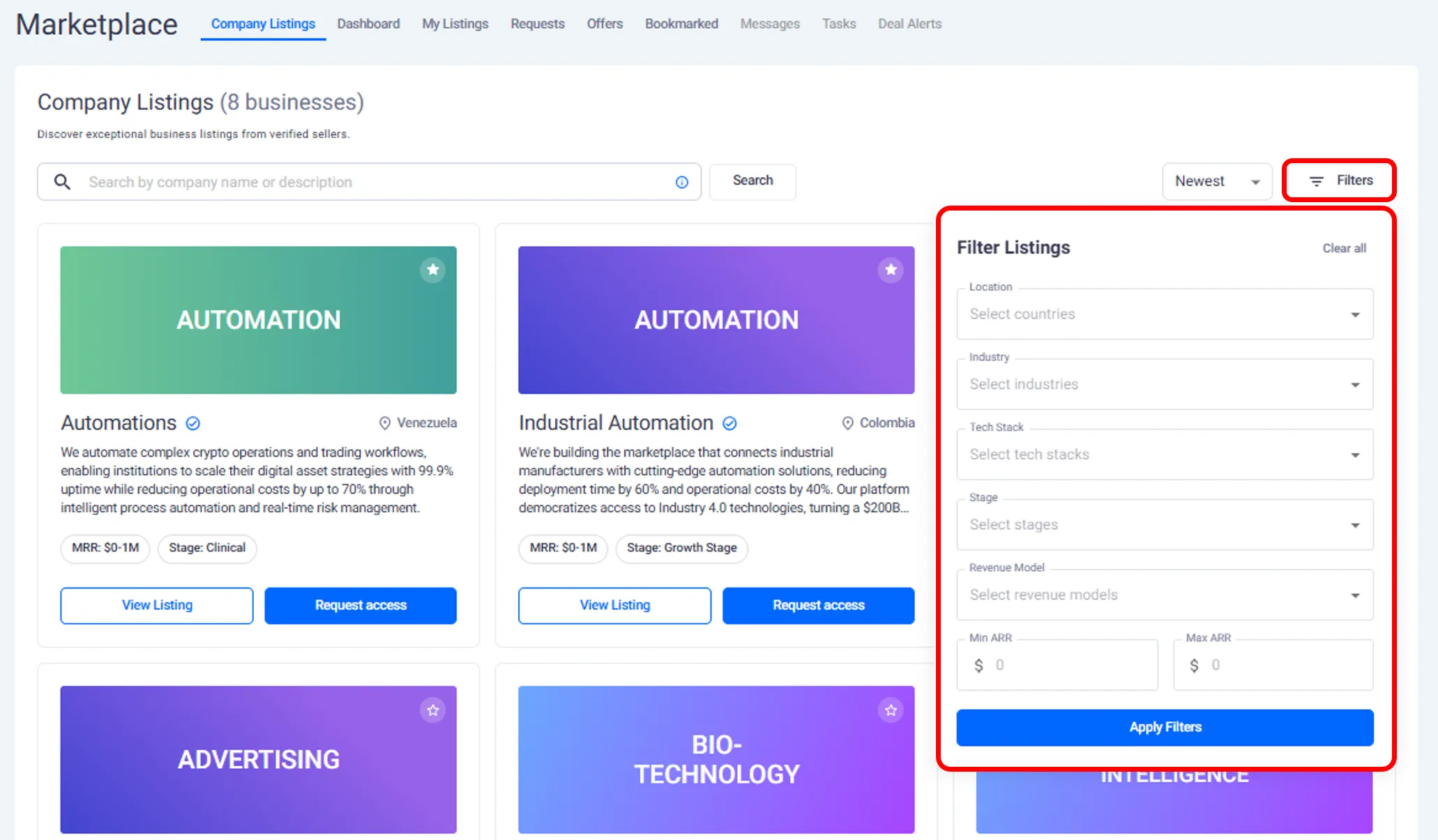
Using Filters to Refine Opportunities
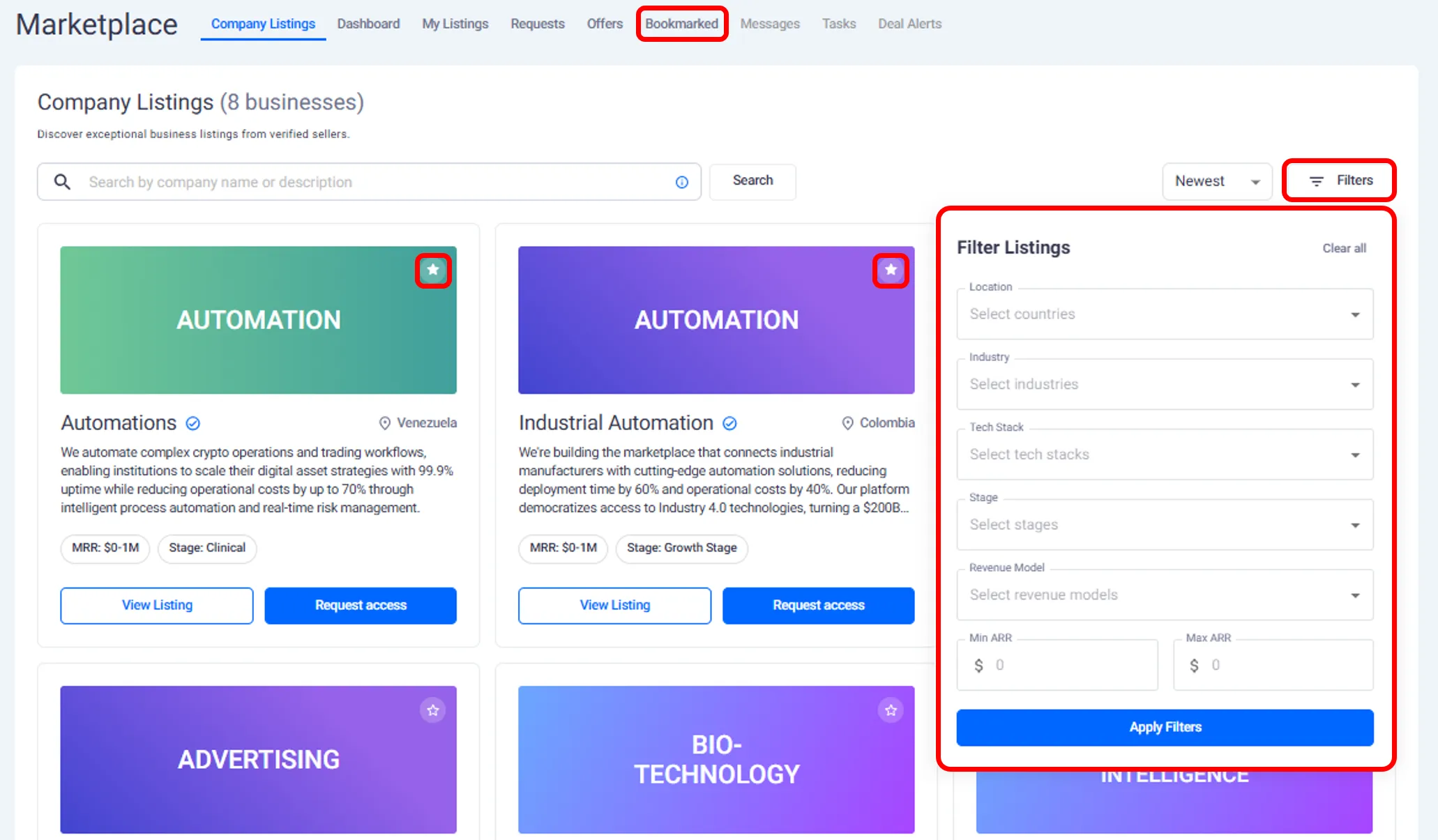
The platform provides filtering tools to help you focus on businesses that match your preferences.
Based on the walkthrough, you can filter listings by:
Geography, such as country or region.
Industry.
Technology stack.
Investment stage.
Revenue ranges.
Applying filters updates the marketplace view so you only see listings that meet your criteria.
Saving and Bookmarking Listings
If you find a listing that looks promising but you are not ready to request access, you can bookmark it.
Bookmarking allows you to:
Save listings for later review.
Build a short list of potential opportunities.
Return to listings without searching again.
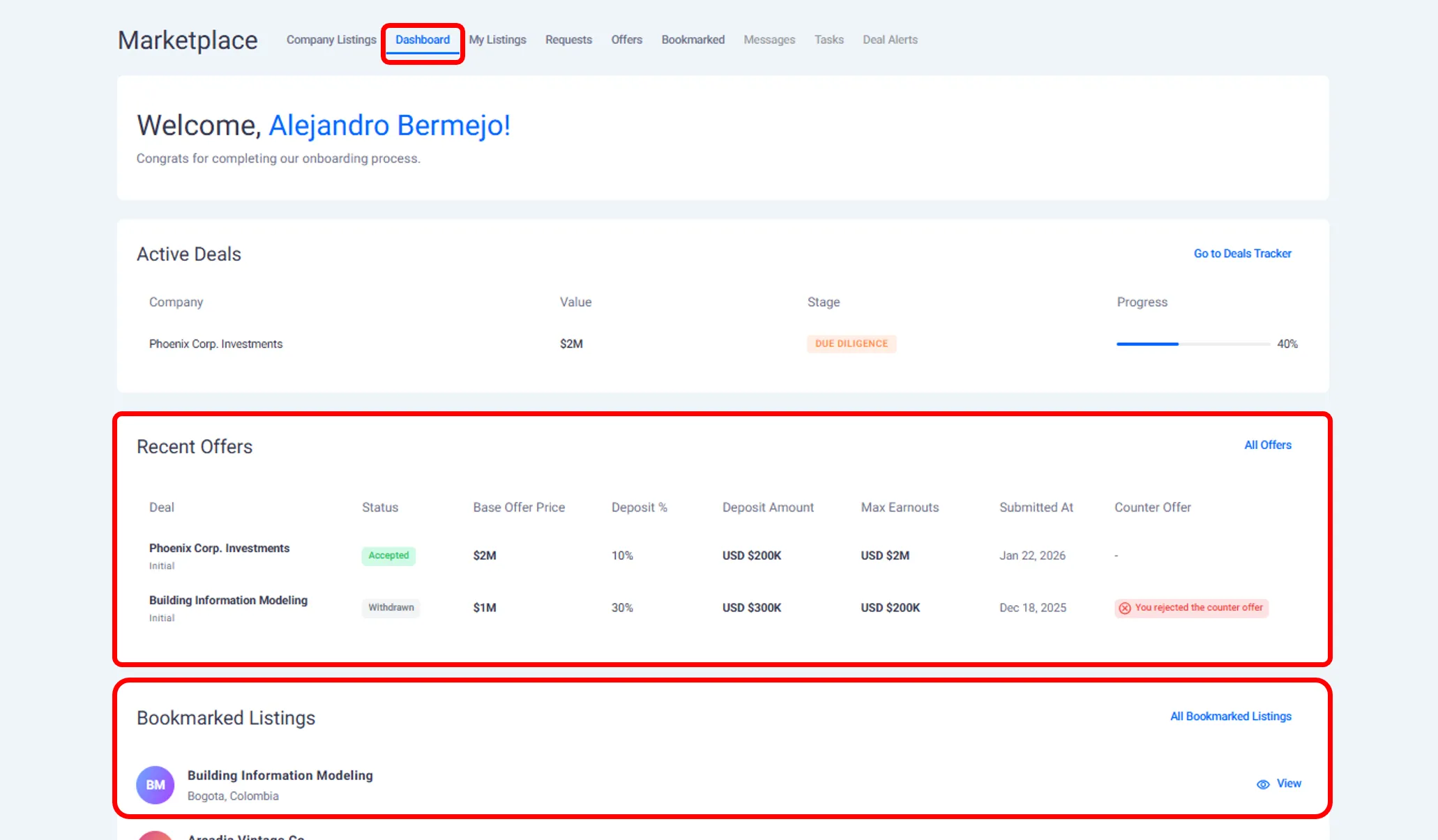
Your bookmarked listings are accessible from your buyer dashboard.
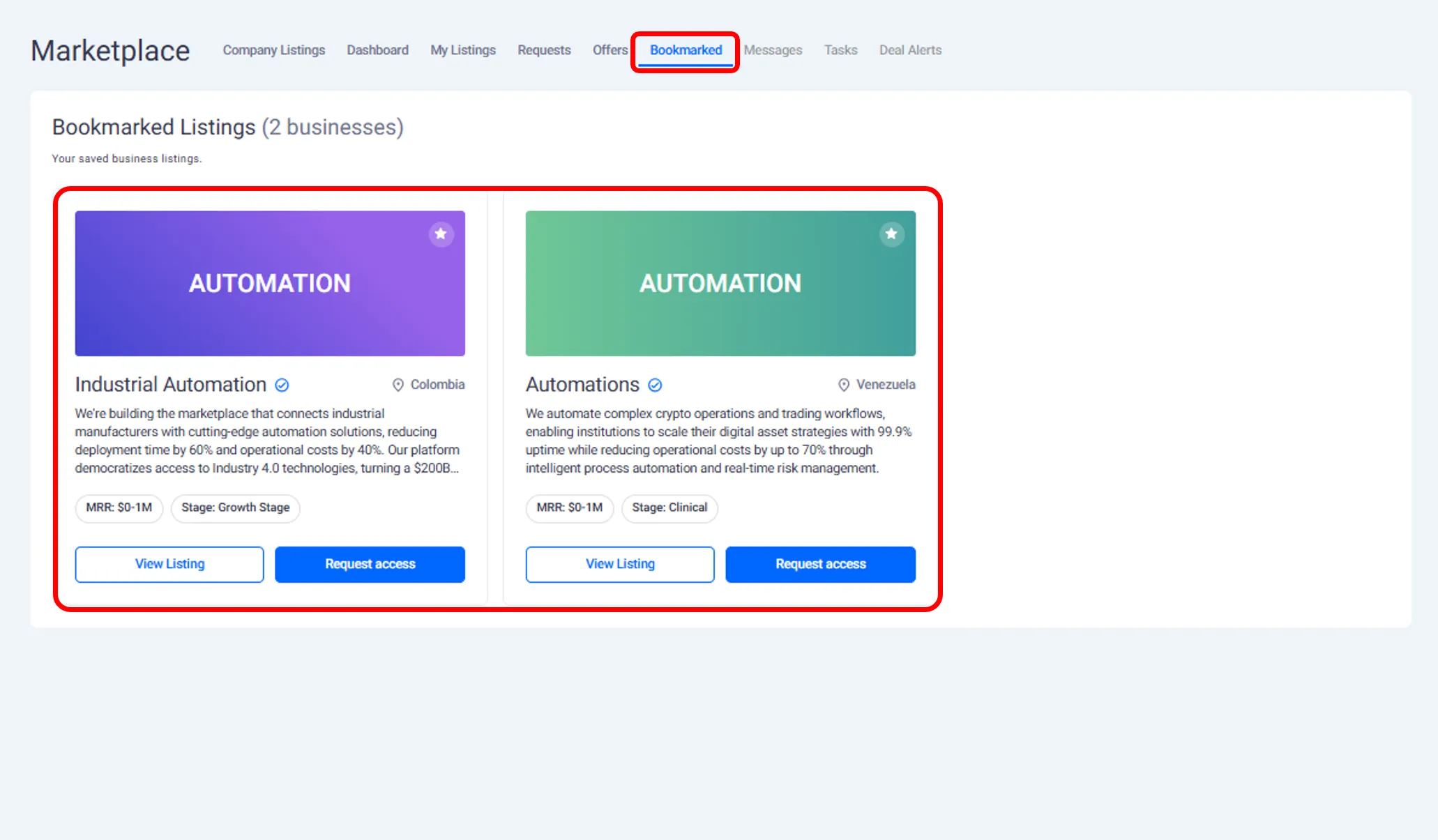
Viewing Your Shortlisted Businesses
From your dashboard, you can:
See all listings you have bookmarked
Review listings you have requested access to
Track which listings have approved your access
This helps you organize your deal flow and prioritize next steps.
Combining Filters and Bookmarks
Filters and bookmarks can be used together.
For example:
Filter by geography and industry.
Bookmark listings that meet your criteria.
Revisit bookmarked listings to request access when ready.
This makes it easier to manage multiple opportunities at once.
Managing Discovery Without Commitment
Browsing and shortlisting do not notify founders.
You can:
Explore listings freely.
Apply and remove filters.
Bookmark opportunities.
Founders are only notified when you submit an access request.
What This Page Covers and What Comes Next
This page explains:
How to browse the marketplace.
How to filter and shortlist businesses.
How to organize potential opportunities.
The next page explains how buyers request access and view full business listings.
Need help?
Contact our support team and get the help you need.

.webp)