
Due Diligence Tasks and Document Sharing

This page explains how founders manage due diligence once a deal moves forward, including responding to buyer requests, sharing documents, and tracking progress inside the platform.
.webp)
What Happens After an Offer Is Accepted
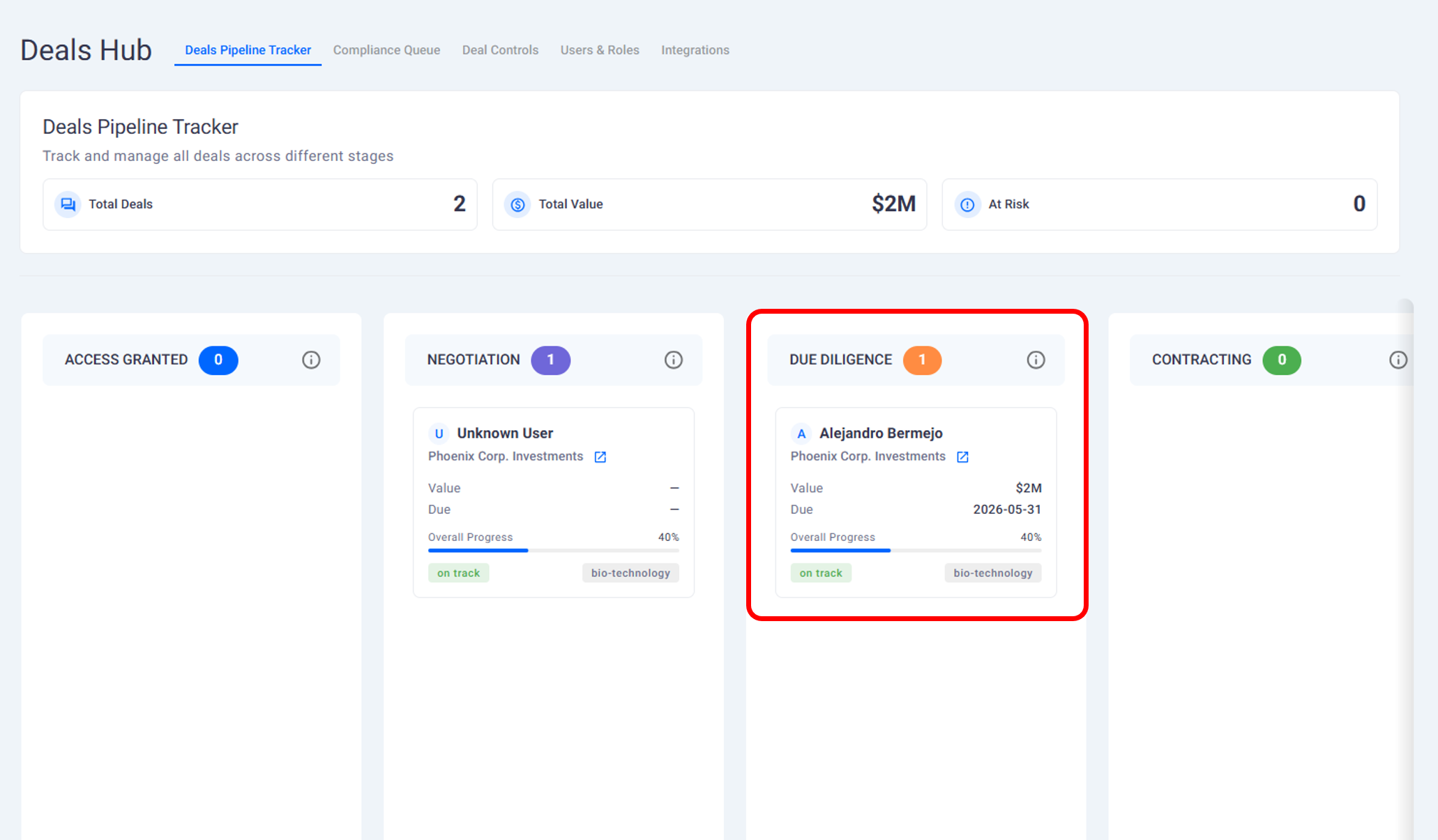
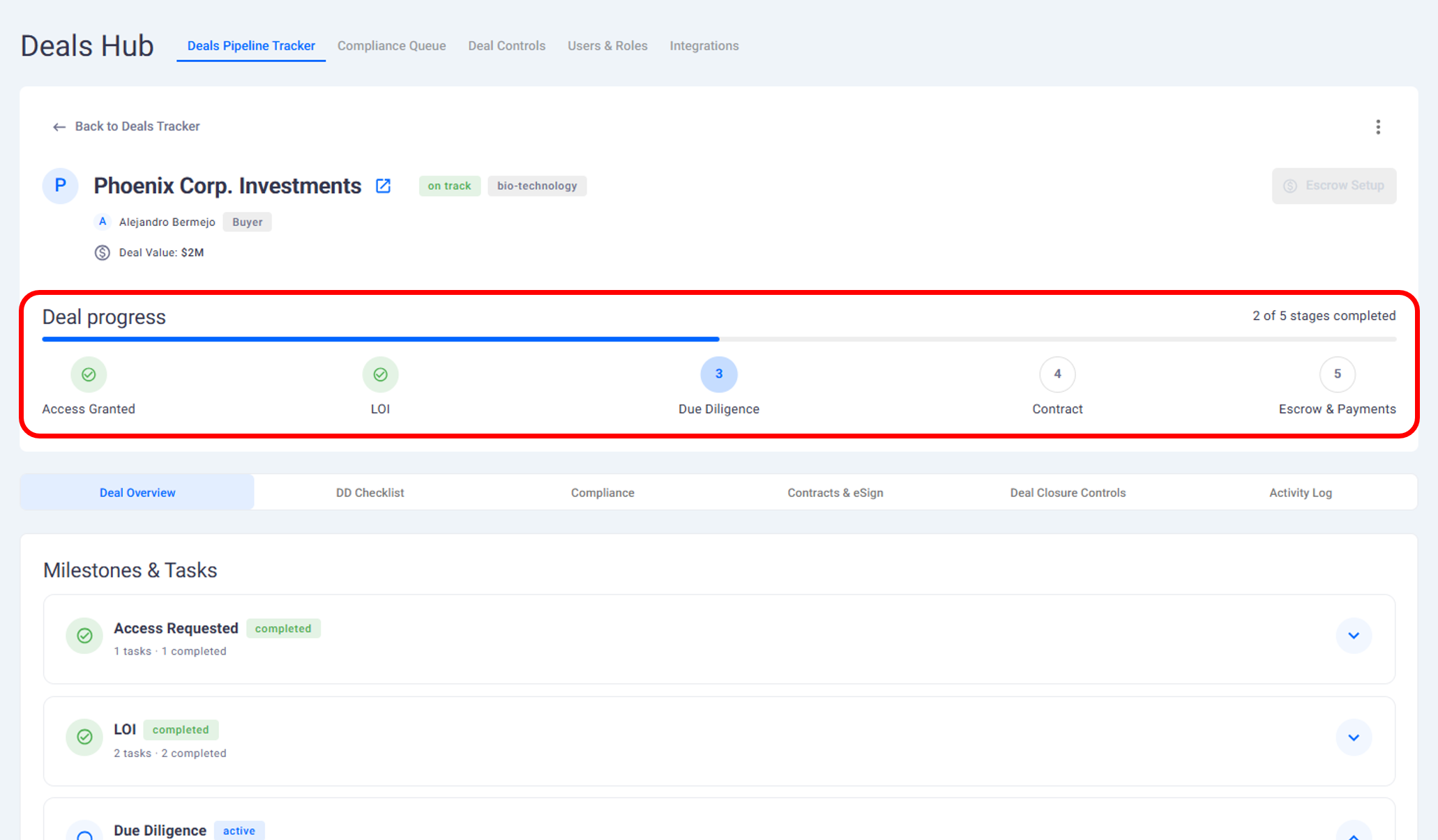
When an offer is accepted, the deal moves into the due diligence stage.
Due diligence is the process where the buyer requests additional information and documentation to better understand your business before completing the transaction. All of this activity is managed directly inside the platform.
Default Due Diligence Tasks
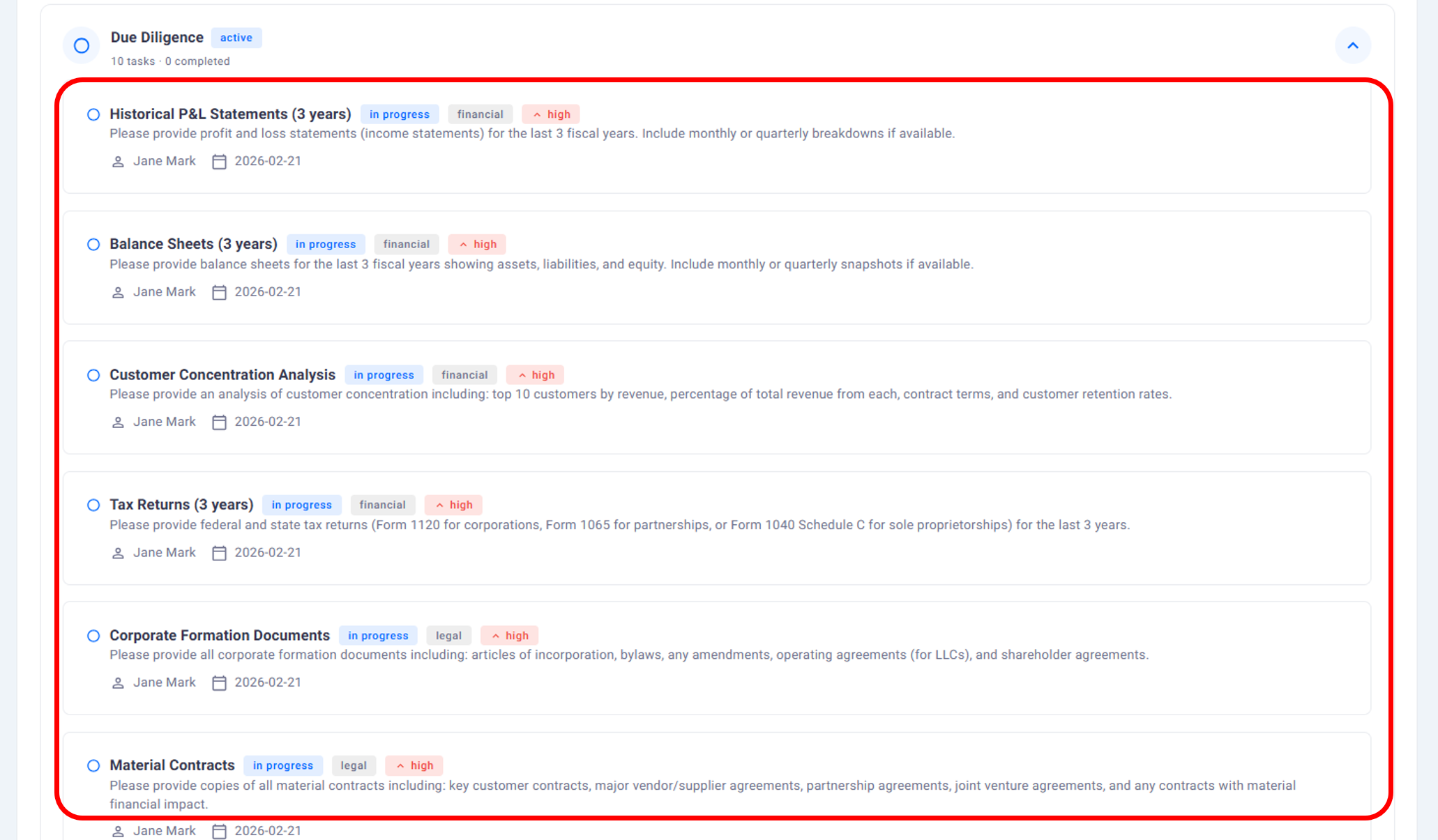
When a deal enters due diligence, the platform automatically creates a set of default tasks.
These tasks act as a starting point and typically cover common areas such as:
Financial information
Legal documentation
Operational details
Tax related materials
These default tasks are provided to help structure the process, especially if a buyer does not already have a defined checklist.
Custom Due Diligence Tasks from Buyers
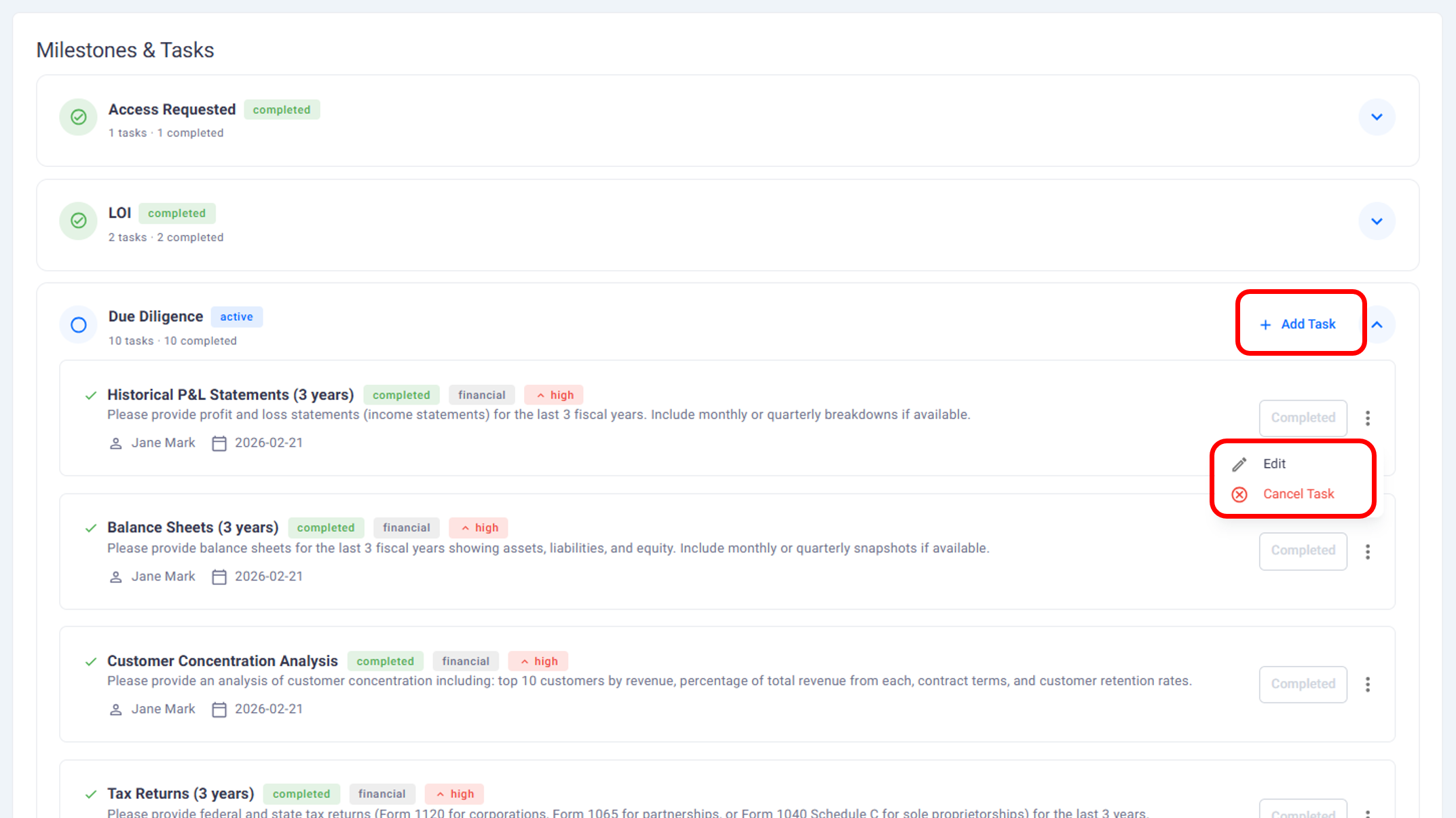
Buyers are not limited to the default task list.
They can:
Add new tasks
Modify existing tasks
Replace the entire task list with their own checklist
Buyers can upload their own task file, which replaces the default set. This allows them to follow their internal due diligence process while keeping everything centralized.
Submitting Documents and Information
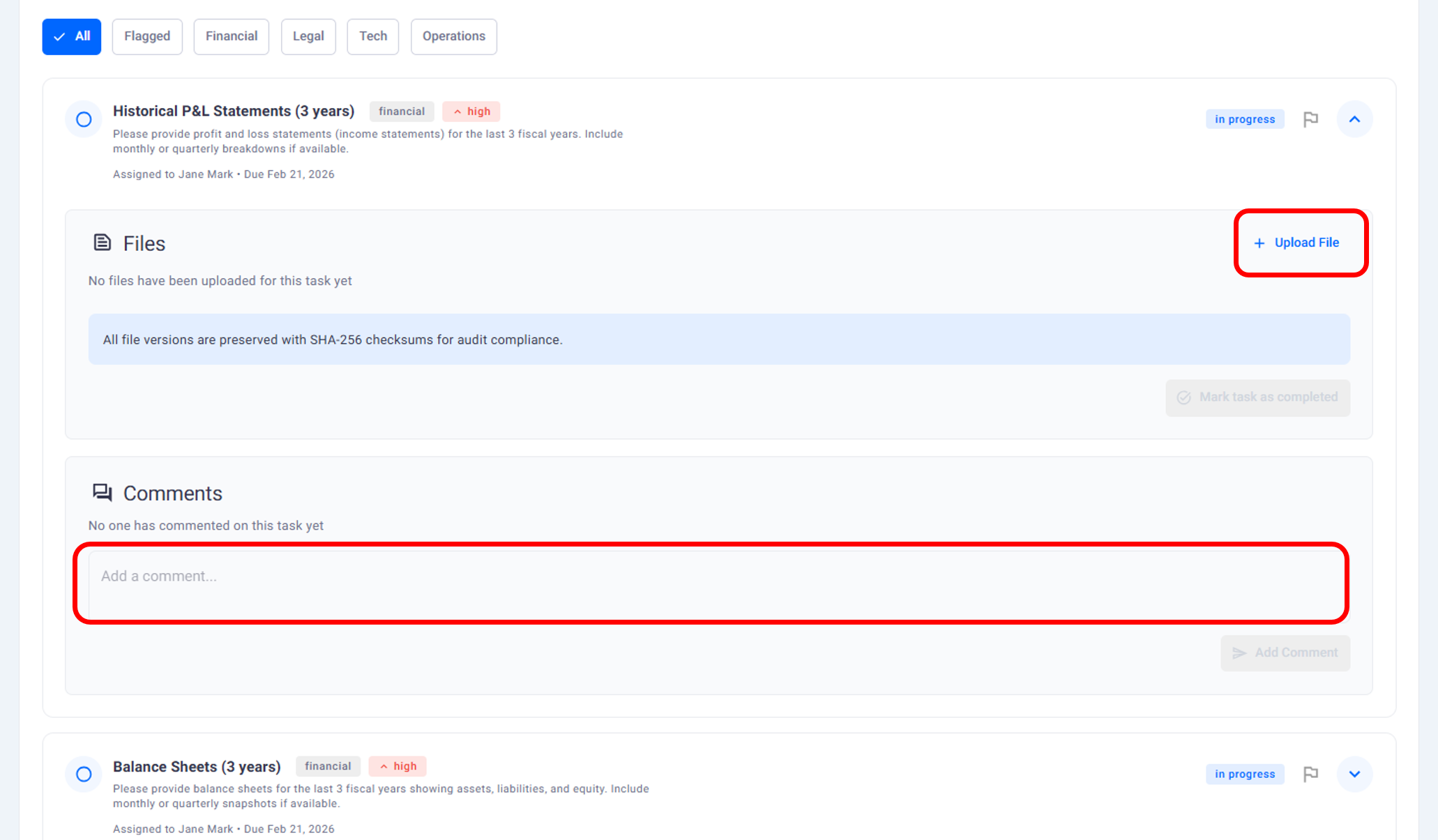
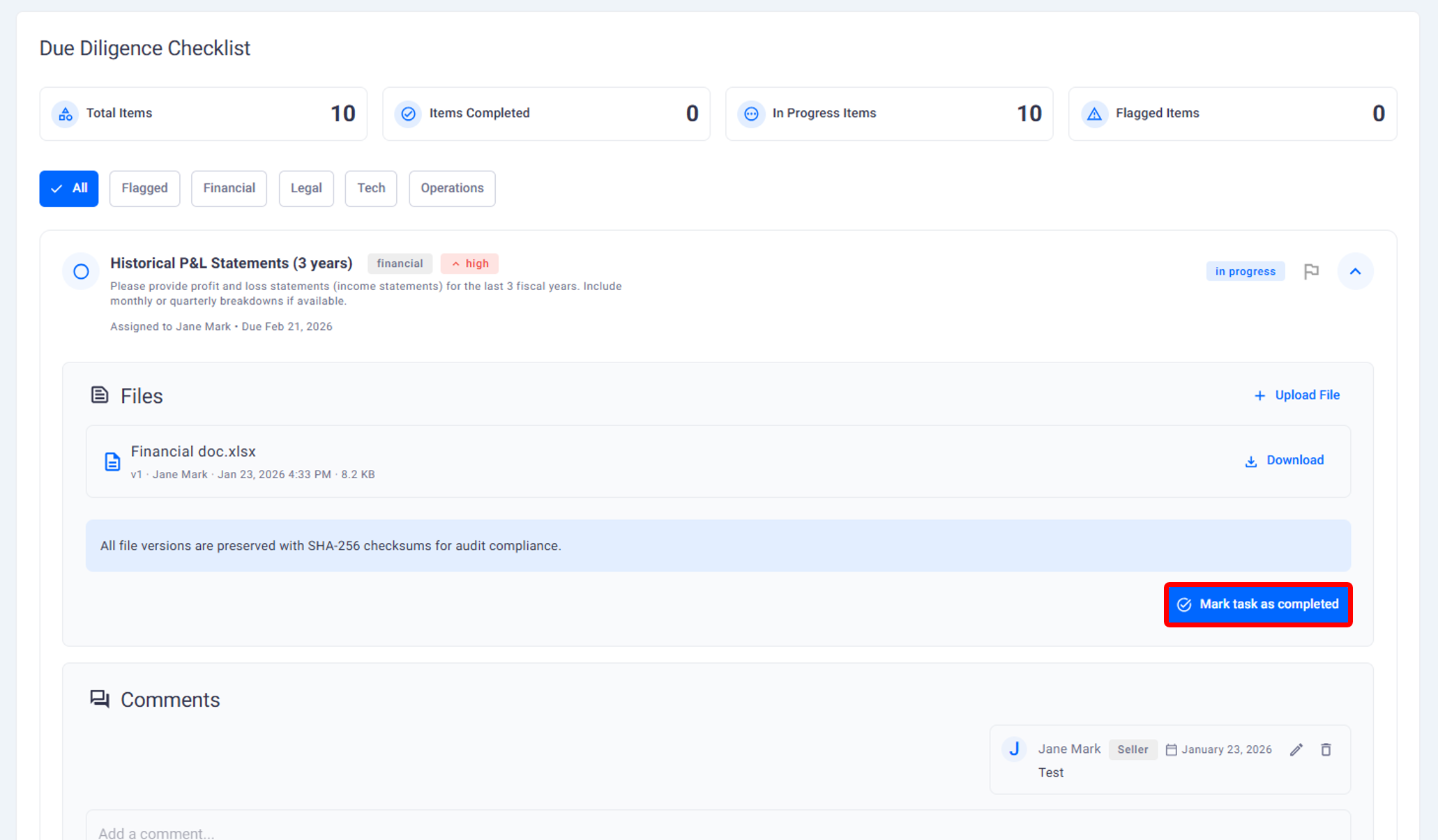
As a founder, you respond to due diligence tasks by submitting the requested information.
For each task, you can:
Upload documents
Add comments or clarifications
Mark tasks as completed once information is provided
All uploaded files are tied directly to the task they relate to.
Collaboration and Comments
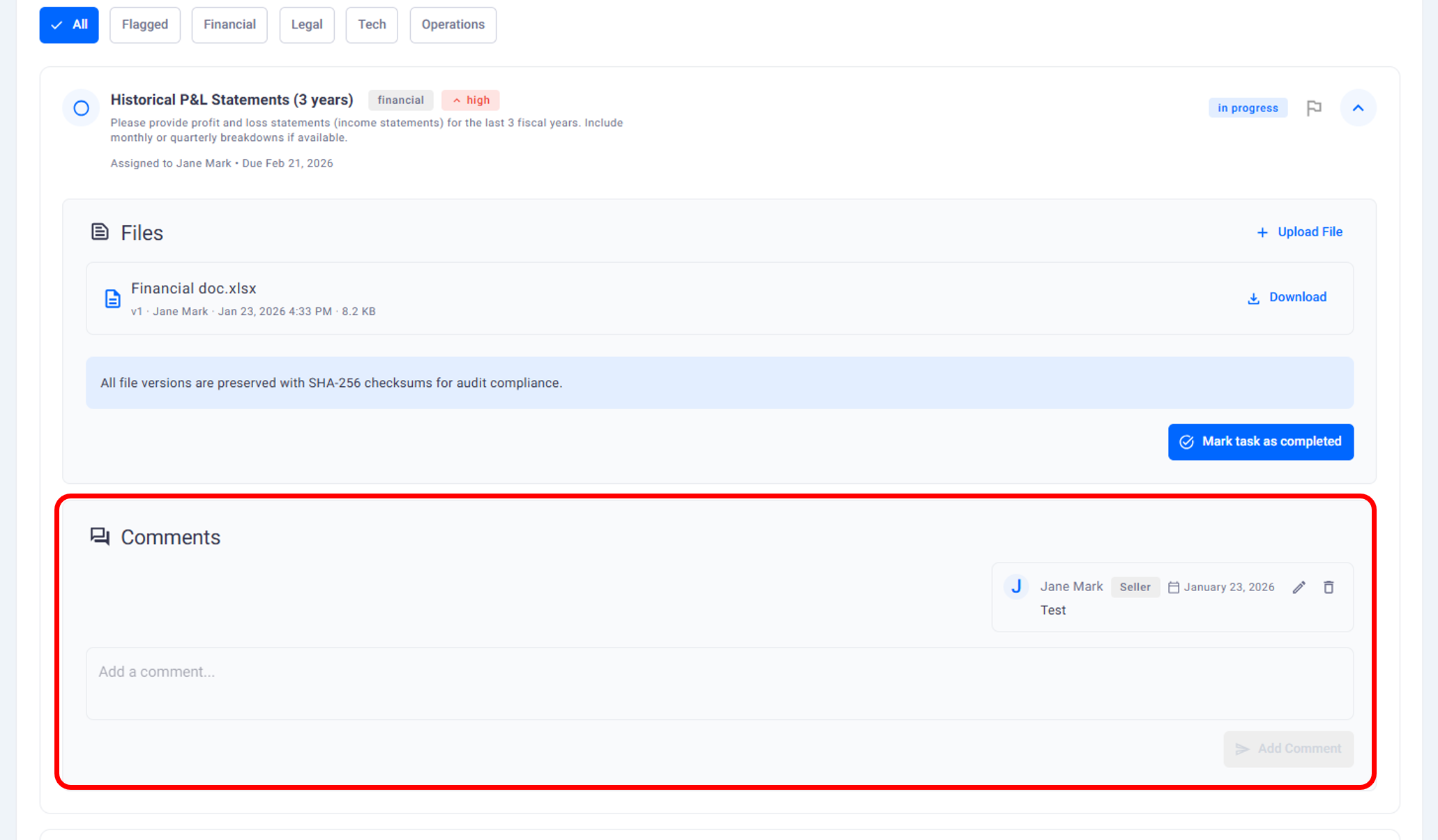
Both founders and buyers can communicate directly within each task.
This includes:
Leaving comments
Asking follow up questions
Clarifying requests
Responding to feedback
This keeps all discussion related to a specific request in one place, rather than scattered across email or external tools.
Tracking Progress Across Tasks
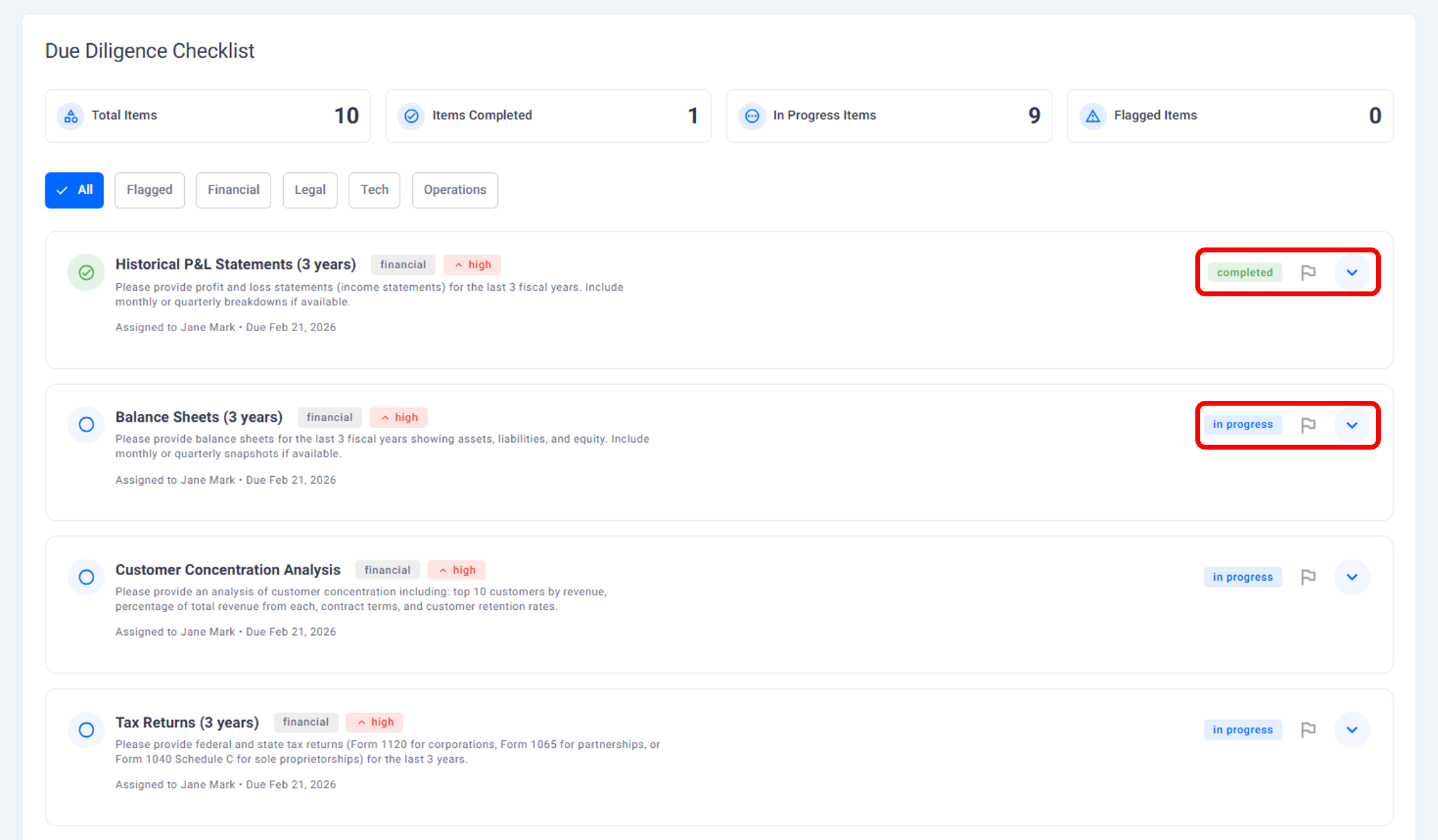
The platform allows both sides to track the status of due diligence tasks.
Tasks can be marked as:
Not started
In progress
Completed
Buyers can review submitted documents, download files, and update task status as they work through the information.
Organizing Documents by Deal
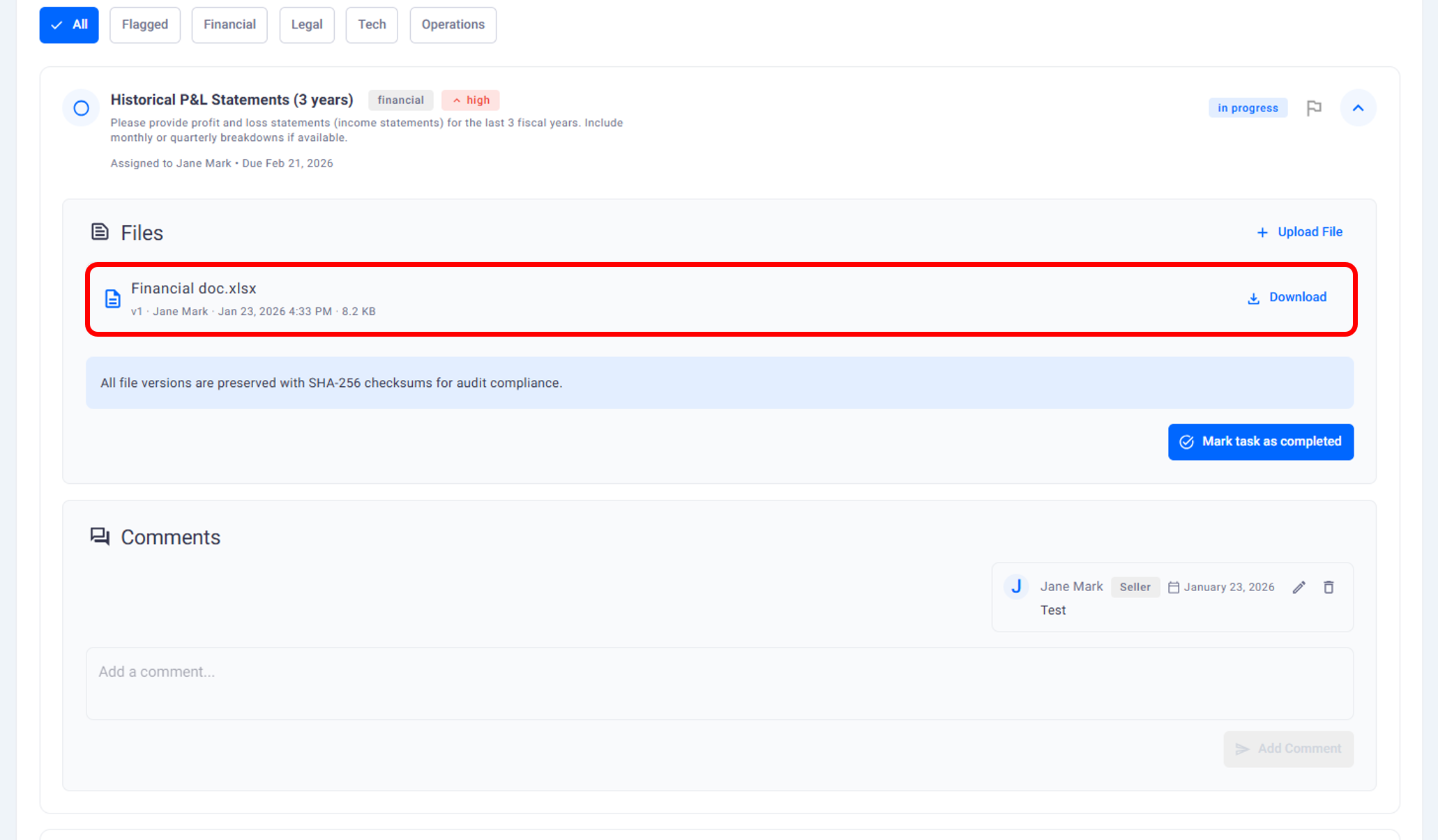
Documents submitted during due diligence are organized within the deal.
Each task has its own file area, and buyers can also view documents in a consolidated folder view. This makes it easier to review materials without searching across multiple uploads.
How This Fits Into the Deal Process
Due diligence continues until all required tasks are completed and both sides are ready to move forward.
Throughout this stage:
All activity is logged
Document access is controlled
Progress is visible to both parties
This creates a clear and traceable due diligence workflow.
What This Page Covers and What Comes Next
This page explains:
How due diligence tasks are created
How documents are shared
How progress is tracked
The next page explains what happens after due diligence and how deals move toward completion.
Need help?
Contact our support team and get the help you need.

.webp)